Updated

One State clipping campaign

Post on TikTok, Instagram, YouTubeAt least 20% of viewers in Australia, Canada, Germany, France, UK and US

CPM
$1.25 per 1K views
AFTER 5% FEE
$1.19 per 1K views after the 5% platform fee

About

OneState, the social roleplay game, gets a 1.3 graphics update. Cut before and after clips, or "DLSS off" against "DLSS 5 on", from the trailer and b-roll. Post on TikTok, Instagram and YouTube with the promo code banner.

Pay per clip

On TikTok

PER CLIP, AFTER 5% FEE

  • 10KVIEWS$11.8810K views pays $11.88
  • 50KVIEWS$59.3850K views pays $59.38
  • 100KVIEWS$118.75100K views pays $118.75
MIN VIEWS
At least 1,000 views a clip
MAX A CLIP
At most $475 a clip after the fee

Your clips

Take home
$593.75
Per clip
$59.38
Platform fee
$31.25
Open pay calculator

WHY THIS SCORE

Beats 66% of clipping campaigns

≈$12 per clip at 10K views

  • PayOK, fair$1.25 per 1K
  • BudgetOK, fair$1.1K left, about 850K views
  • FillToo early, not measured0% spent in 1 day
  • ConfidenceLow, weakNew, 1 day of data
  • Payout rulesEasy, goodEst. 8 in 10 clips qualify
  • ApprovalNo data yet, not measured
  • ContentOK, fairNo famous face or big audience
  • Unproven: no posts or payouts on the clipping platform yet−11
  • Low confidence: new, 1 day of data−4
  • Needs 20% of viewers in Australia, Canada +4−1
  • New campaign+3
How we rank

How long will the budget last?

$1,060 of $1,060 is left.

FORECAST
No forecast yet, too little spend history
BUDGET LEFT
100% of the budget left

Is the One State clipping campaign legit?

One State has run 2 rounds.

THIS CAMPAIGN

REJECT RULES
13

ONE STATE

ROUNDS
2 rounds by One State

CLIPSTER, ALL CAMPAIGNS

Clipping campaign rules

Brief A: clear, 2 red flags (missing essentials and no ad disclosure), use only the brand's footage, always include the hashtag #onestatemove2 in the caption.

  • Open to join
  • , 0.2% min engagement
  • , 500 min followers
  • , $1K max a creator
  • , 25 posts an account at most
  • , 5 posts a day at most
Open the brief

Footage rules

  • Use only the brand's footage

Content limits

  • No drugs, pornography, politics, or profanity
  • Do not compare OneState to any other game or mention GTA
  • Do not pass AI-generated footage off as real gameplay

Caption and tags

  • Caption template in every post with code stateumrp and #onestatemove2 (mandatory, check brief)
  • Always include the hashtag #onestatemove2 in the caption
Show all 46 rules

More content limits

  • Don't show lag, loading screens, tutorial or bugs
  • No comparing OneState to other games, no GTA mention
  • No comparing OneState to other games, no mentioning GTA
  • No AI generated visuals
  • No profanity
  • No negative portrayal of the brand
  • No drugs
  • No pornography
  • No politics

More caption and tags

  • Must read the full brief (formats, assets, promo banner and caption) at the linked page
  • Caption template from the linked brief is mandatory in every post
  • Add the hashtags
    • #OneState
    • #SocialRolePlay
    • #onestatemove2
    • #fyp
    • #rp
    • #mobilegaming
  • Write in the captionOneState, The Social RolePlay game on Google Play and App Store
  • End with a call to action

Format rules

  • Geo: US / tier-1, English only
  • Do not show visible lag, loading screens, the tutorial, or bugs
  • Video posts
  • Captions on screen
  • In English
  • Niche: OneState Social RolePlay game content, one narrow niche
  • The brand's ad clip, placed inside your post
  • High effort, polished edits
  • Match the style of the reference edit
  • Make high-quality videos for higher budgets and more offers
  • Use the before/after graphics update or DLSS off/on format

Payout checks

  • Viewers in
    • US
  • Tier-1 audience
  • At least 20% of your audience in
    • AU
    • CA
    • DE
    • FR
    • UK
    • US
  • Views count from
    • US

Other rules

  • Use the provided promo code banner in every video
  • Promo code banner in every video (voiced version in the middle of the video, check brief)
  • Pick the banner version that fits the video
  • Place the voiced promo code in the middle of the video
  • Use the listed formats: graphics update before/after, DLSS, outfit drop, car showcase, memes
  • After the 1.3 graphics update or "dlss off"
  • "dlss 5 on"
  • Choose the banner version (voiced or not) that fits the video
  • Place the voiced promo code mid-video
  • Earnings capped at 1000 USD per creator

MATERIALS

What to clip

1 trailer to cut. Lead each clip with its strongest beat.

1 UGC promo. Post it as is or trim to the hook.

SOURCE READINESS
ASSETS
8
TOTAL FOOTAGE
6m
SAMPLE
8 of 40clips analysed
  • 6 of 8assets share the best format: horizontal under 60s
  • 1 of 8clips open on a spoken hook in the first 3 seconds
  • 7 of 8have no speech, add captions or a voiceover
  • 7 of 8carry on-screen text, keep it in frame when cropping

THE ASSETS

  • A narrator previews the OneState 1.3 update with the Moncadas, new labs, medics and bikesTRAILER2mHORIZONTAL

    A narrator walks through the OneState 3 update, announcing a record heat wave in LA and saying much has changed while players were away.

    Read more

    The Moncadas gang arrives in town, and the narrator says their reputation precedes them and players can watch them work in person just before the party. The narrator reports a booming operation with labs across the city, medics answering supply runs and emergency calls in groups, and new bikes he says are quick, loud and tough to catch. He adds that growing reputation brings recruits and lets players launch their own activities, private or open to the whole city.

    WHY WATCH

    The update puts the Moncadas gang in the city for players to watch work in person, and lets players run their own activities and choose whether the whole city can take part.
    • A narrator previews the OneState 1.3 update with the Moncadas, new labs at 0:01
    • A narrator previews the OneState 1.3 update with the Moncadas, new labs at 0:23
    • A narrator previews the OneState 1.3 update with the Moncadas, new labs at 0:47
    • A narrator previews the OneState 1.3 update with the Moncadas, new labs at 1:10
    READINESS
    90, easy to cut
    HOOK
    Spoken, first 3 seconds
    SPEECH
    124 words a minute
    ON-SCREEN TEXT
    8 lines
    CREATIVE
    Organic
    FIND TIME
    None
    FORMAT FIT
    REFRAME
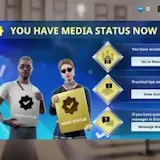
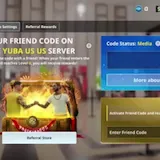
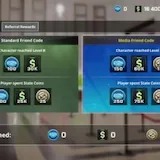
  • The screen opens the OneState friend code menu and shows a code on the YUBA US server listed with Media statusUGC PROMO36sHORIZONTAL

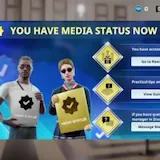
    The screen opens the OneState friend code menu and shows a code on the YUBA US server listed with Media status. The steps show how to enter the friend code, press Activate and reach Level 5, then open the Referral Store and the Standard Friend Code.
    • The screen opens the OneState friend code menu and shows a code at 0:01
    • The screen opens the OneState friend code menu and shows a code at 0:09
    • The screen opens the OneState friend code menu and shows a code at 0:18
    • The screen opens the OneState friend code menu and shows a code at 0:27
    READINESS
    90, easy to cut
    HOOK
    Visual, first 3 seconds
    SPEECH
    None
    ON-SCREEN TEXT
    8 lines
    CREATIVE
    UGC promo
    FIND TIME
    None
    FORMAT FIT
    REFRAME
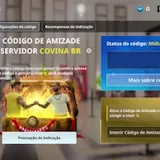
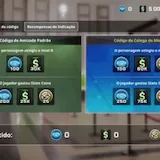
  • A phone screen walks through OneState's Friend Code menu on the Covina BR server and shows the level 8 rewardB-ROLL43sHORIZONTAL

    On-screen text says to activate the Friend Code and receive a reward at level 8, and the screen displays the standard Friend Code and the Media Colleague Code beside a link for more about rewards.

    WHY WATCH

    The video shows the exact Friend Code and media status menu for the Covina BR server, including the level 8 reward.
    • A phone screen walks through OneState's Friend Code menu on the Covina at 0:01
    • A phone screen walks through OneState's Friend Code menu on the Covina at 0:10
    • A phone screen walks through OneState's Friend Code menu on the Covina at 0:21
    • A phone screen walks through OneState's Friend Code menu on the Covina at 0:31
    READINESS
    90, easy to cut
    HOOK
    Visual, first 3 seconds
    SPEECH
    None
    ON-SCREEN TEXT
    8 lines
    CREATIVE
    Organic
    FIND TIME
    None
    FORMAT FIT
    REFRAME
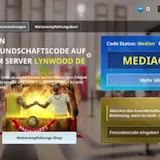
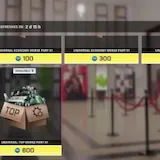
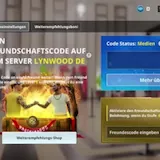
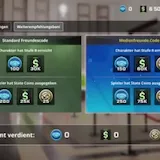
  • A German game menu shows a friend code for the Lynwood DE server with a reward buttonB-ROLL47sHORIZONTAL

    A static German game menu opens on a friend code screen for the server Lynwood DE and tells the player to hand the code to a friend. The screen shows a Code Status of Medien, a field to enter friend codes, and an Aktivieren button, with a reward offered once the friend reaches level 8.

    WHY WATCH

    The menu spells out the friend-code reward flow, including the level 8 threshold that unlocks the reward and the loot chests on Lynwood DE.
    • A German game menu shows a friend code for the Lynwood DE server at 0:01
    • A German game menu shows a friend code for the Lynwood DE server at 0:11
    • A German game menu shows a friend code for the Lynwood DE server at 0:23
    • A German game menu shows a friend code for the Lynwood DE server at 0:35
    READINESS
    90, easy to cut
    HOOK
    Visual, first 3 seconds
    SPEECH
    None
    ON-SCREEN TEXT
    8 lines
    CREATIVE
    Organic
    FIND TIME
    None
    FORMAT FIT
    REFRAME
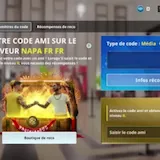
  • A screen recording reveals OneState's French friend code menus on the NAPA FR serverB-ROLL44sHORIZONTAL

    The screen shows a friend code for the NAPA FR server, with a prompt asking to share the code with a friend and the code type listed as Média. A referral rewards section appears, and the screen offers fields to enter a friend code and activate it. A countdown shows the next refresh in 2 days and 15 hours.

    WHY WATCH

    The screen reveals OneState's friend code menu for the NAPA FR server, including a referral rewards section and a countdown to the next refresh in 2 days and 15 hours.
    • A screen recording reveals OneState's French friend code menus at 0:01
    • A screen recording reveals OneState's French friend code menus at 0:11
    • A screen recording reveals OneState's French friend code menus at 0:22
    • A screen recording reveals OneState's French friend code menus at 0:33
    READINESS
    90, easy to cut
    HOOK
    Visual, first 3 seconds
    SPEECH
    None
    ON-SCREEN TEXT
    8 lines
    CREATIVE
    Organic
    FIND TIME
    None
    FORMAT FIT
    REFRAME
  • A screen recording tours OneState menus and shows a friend code on the ME serverB-ROLL37sHORIZONTAL

    A friend code screen for the ME server appears under the MADERA ME title, followed by status rewards and media status panels. The recording then opens a leaderboard and the store menu, and the code status shows media with an activate button.

    WHY WATCH

    The clip ends on an activate button for the media code status, the payoff moment of the friend code referral page.
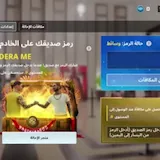
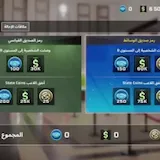
    • A screen recording tours OneState menus and shows a friend code at 0:01
    • A screen recording tours OneState menus and shows a friend code at 0:09
    • A screen recording tours OneState menus and shows a friend code at 0:18
    • A screen recording tours OneState menus and shows a friend code at 0:27
    READINESS
    90, easy to cut
    HOOK
    Visual, first 3 seconds
    SPEECH
    None
    ON-SCREEN TEXT
    8 lines
    CREATIVE
    Organic
    FIND TIME
    None
    FORMAT FIT
    REFRAME
  • OneState's Friend Code menu shows a player's code on the Bell UK server and an Activate buttonB-ROLL35sHORIZONTAL

    The screen offers an Enter Friend Code field with an Activate button and a link to more about the rewards.

    WHY WATCH

    The clip lays out the full referral loop in one screen: share your friend code, the friend enters it and reaches Level 5, with the status reading Media beside the Activate button.
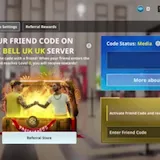
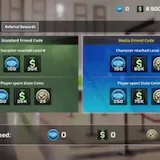
    • OneState's Friend Code menu shows a player's code on the Bell UK server at 0:01
    • OneState's Friend Code menu shows a player's code on the Bell UK server at 0:08
    • OneState's Friend Code menu shows a player's code on the Bell UK server at 0:17
    • OneState's Friend Code menu shows a player's code on the Bell UK server at 0:26
    READINESS
    90, easy to cut
    HOOK
    Visual, first 3 seconds
    SPEECH
    None
    ON-SCREEN TEXT
    8 lines
    CREATIVE
    Organic
    FIND TIME
    None
    FORMAT FIT
    REFRAME
  • A split-screen pits a dark palm-lined city highway against a bright, hazy versionB-ROLL3sHORIZONTAL

    A diagonal split-screen divides the frame between two versions of the same palm-lined city highway. One side shows the highway in a darker look, while the other shows it bright and hazy.

    WHY WATCH

    The clip offers a direct side-by-side comparison of two graphical looks for the same city highway.

    HOOK
    Visual, first 3 seconds
    SPEECH
    None
    ON-SCREEN TEXT
    None
    CREATIVE
    Organic
    FIND TIME
    None
    FORMAT FIT
    REFRAME

What to make

POST ONFrom the brief: “Platform: Instagram Reels, YouTube Shorts, TikTok”
  • TikTok
  • Instagram
  • YouTube
LENGTHOur analysis: The length of the ready clips
36s
FORMATOur analysis: 1 video is horizontal
9:16Captions on

BRAND CLIPS

7 of 7 clips analysed, 7 need a reframe

Open footage folder
  1. A narrator previews the OneState 1.3 update with the Moncadas, new labs, medics and bikesBrand footage, 94 seconds, Horizontal 16:9

    Reframe to 9:16

    OneState 1.3 update feature preview

    • CLIP POTENTIAL80
    • Opens on a spoken line in the first 3 seconds
    • 8 lines of on-screen text
    • Horizontal, reframe to 9:16
    1. Reframe to 9:16, keep the subject in the middle
    2. Add on-screen captions, the brief asks for them
    3. Keep the brand logo on screen
    4. In the post caption, add #OneState #SocialRolePlay #onestatemove2 #fyp #rp #mobilegaming
    5. End on the call to action the brief asks for
  2. The screen opens the OneState friend code menu and shows a code on the YUBA US server listed with Media statusBrand footage, 36 seconds, Horizontal 16:9

    Reframe to 9:16

    OneState in-game friend code and media status menus

    • CLIP POTENTIAL27
    • No spoken hook in the first 3 seconds
    • 8 lines of on-screen text
    • UGC promo, native creator style
    • No speech, add captions
    • Horizontal, reframe to 9:16
    1. Reframe to 9:16, keep the subject in the middle
    2. Add on-screen captions, the brief asks for them
    3. Keep the brand logo on screen
    4. In the post caption, add #OneState #SocialRolePlay #onestatemove2 #fyp #rp #mobilegaming
    5. End on the call to action the brief asks for
  3. A phone screen walks through OneState's Friend Code menu on the Covina BR server and shows the level 8 rewardBrand footage, 43 seconds, Horizontal 16:9

    Reframe to 9:16

    OneState friend code and media status menus

    • CLIP POTENTIAL26
    • No spoken hook in the first 3 seconds
    • 8 lines of on-screen text
    • No speech, add captions
    • Horizontal, reframe to 9:16
    1. Reframe to 9:16, keep the subject in the middle
    2. Add on-screen captions, the brief asks for them
    3. Keep the brand logo on screen
    4. In the post caption, add #OneState #SocialRolePlay #onestatemove2 #fyp #rp #mobilegaming
    5. End on the call to action the brief asks for
  4. A German game menu shows a friend code for the Lynwood DE server with a reward buttonBrand footage, 47 seconds, Horizontal 16:9

    Reframe to 9:16

    German game friend code and shop menus

    • CLIP POTENTIAL26
    • No spoken hook in the first 3 seconds
    • 8 lines of on-screen text
    • No speech, add captions
    • Horizontal, reframe to 9:16
    1. Reframe to 9:16, keep the subject in the middle
    2. Add on-screen captions, the brief asks for them
    3. Keep the brand logo on screen
    4. In the post caption, add #OneState #SocialRolePlay #onestatemove2 #fyp #rp #mobilegaming
    5. End on the call to action the brief asks for
  5. A screen recording reveals OneState's French friend code menus on the NAPA FR serverBrand footage, 44 seconds, Horizontal 16:9

    Reframe to 9:16

    OneState friend code and shop menus

    • CLIP POTENTIAL26
    • No spoken hook in the first 3 seconds
    • 8 lines of on-screen text
    • No speech, add captions
    • Horizontal, reframe to 9:16
    1. Reframe to 9:16, keep the subject in the middle
    2. Add on-screen captions, the brief asks for them
    3. Keep the brand logo on screen
    4. In the post caption, add #OneState #SocialRolePlay #onestatemove2 #fyp #rp #mobilegaming
    5. End on the call to action the brief asks for
  6. A screen recording tours OneState menus and shows a friend code on the ME serverBrand footage, 37 seconds, Horizontal 16:9

    Reframe to 9:16

    OneState game menus walkthrough with friend code and store

    • CLIP POTENTIAL26
    • No spoken hook in the first 3 seconds
    • 8 lines of on-screen text
    • No speech, add captions
    • Horizontal, reframe to 9:16
    1. Reframe to 9:16, keep the subject in the middle
    2. Add on-screen captions, the brief asks for them
    3. Keep the brand logo on screen
    4. In the post caption, add #OneState #SocialRolePlay #onestatemove2 #fyp #rp #mobilegaming
    5. End on the call to action the brief asks for
  7. OneState's Friend Code menu shows a player's code on the Bell UK server and an Activate buttonBrand footage, 35 seconds, Horizontal 16:9

    Reframe to 9:16

    OneState friend code and media status menus

    • CLIP POTENTIAL26
    • No spoken hook in the first 3 seconds
    • 8 lines of on-screen text
    • No speech, add captions
    • Horizontal, reframe to 9:16
    1. Reframe to 9:16, keep the subject in the middle
    2. Add on-screen captions, the brief asks for them
    3. Keep the brand logo on screen
    4. In the post caption, add #OneState #SocialRolePlay #onestatemove2 #fyp #rp #mobilegaming
    5. End on the call to action the brief asks for

MUST INCLUDE

  • Add #OneState“#OneState #SocialRolePlay #onestatemove2 #fyp #rp #mobilegaming”
  • Add #SocialRolePlay“#OneState #SocialRolePlay #onestatemove2 #fyp #rp #mobilegaming”
  • Add #onestatemove2“#OneState #SocialRolePlay #onestatemove2 #fyp #rp #mobilegaming”
  • Add #fyp“#OneState #SocialRolePlay #onestatemove2 #fyp #rp #mobilegaming”
  • Add #rp“#OneState #SocialRolePlay #onestatemove2 #fyp #rp #mobilegaming”
  • Add #mobilegaming“#OneState #SocialRolePlay #onestatemove2 #fyp #rp #mobilegaming”
  • Keep the brand logo on screen“Logo: New Logo, Google Drive [link]”
  • End with the call to action
  • Add captions

AVOID

  • No AI generated visuals“Do not pass AI-generated footage off as real gameplay.”
  • No profanity“Drugs, pornography, politics, profanity.”
  • No negative portrayal

GET THE FOOTAGE

  • The brand provides the clips in a Google Drive folder linked in the brief“Logo: New Logo, Google Drive [link]”

Next round, rate rises, top-upsGet alerts

Ask your AI agent

How to join the One State clipping campaign

Join on Clipster, post on TikTok, Instagram or YouTube and a clip counts from 1,000 views.

Common questions

How much budget is left in the One State clipping campaign?

$1,060 of a $1,060 budget is left at 12:11 UTC on 3 Nov 2026.

Which apps count for the One State clipping campaign?

Views on 3 apps count: TikTok, Instagram and YouTube.

What does it take to get paid?

A clip needs 1,000 views before it earns.

Similar campaigns

Keep exploring

More from One State

More on Clipster

More clipping campaigns