Updated

AI agents
Bucket Golf [Clipping Campaign]
Board: Content Rewards

Bucket Golf clipping campaign

Platforms TikTok, Instagram, YouTube

The Bucket Golf clipping campaign pays $1.75 per 1,000 views on TikTok, Instagram and YouTube, with $2,906 left at 22:00 UTC on 5 Oct 2026. 18+

CPM
$1.75 per 1K views
LASTS
~81 days

Pay per clip

On TikTok
  • 10KVIEWS$15.7510K views pays $16
  • 50KVIEWS$78.7550K views pays $79
  • 100KVIEWS$90.00CAP100K views pays $90, at the $90 cap

WHY THIS SCORE

Beats 94% of clipping campaigns

≈$16 per clip at 10K views

  • PayHigh, good$1.75 per 1K
  • BudgetHealthy, good$2.9K left
  • Payout rulesStrict, weakNiche locked
  • ApprovalNo data yet, not measured
  • ContentStrong, good2.0x views
  • Partly proven: 21 approved posts−2
How we rank

Budget runway

LASTS UNTIL
Budget lasts until about 25 Dec
SPENT A DAY
$86
BUDGET LEFT
97% of the budget left
Chart as table
TIMELEFT
3 Oct 2026, 06:08 UTC$3,000
3 Oct 2026, 11:07 UTC$2,995
3 Oct 2026, 11:17 UTC$2,995
3 Oct 2026, 11:27 UTC$2,995
3 Oct 2026, 12:27 UTC$2,995
3 Oct 2026, 13:32 UTC$2,995
3 Oct 2026, 14:12 UTC$2,995
3 Oct 2026, 14:47 UTC$2,995
3 Oct 2026, 16:32 UTC$2,995
3 Oct 2026, 17:02 UTC$2,995
3 Oct 2026, 18:30 UTC$2,995
3 Oct 2026, 18:49 UTC$2,995
3 Oct 2026, 19:28 UTC$2,992
3 Oct 2026, 20:04 UTC$2,992
3 Oct 2026, 20:39 UTC$2,991
3 Oct 2026, 21:39 UTC$2,991
3 Oct 2026, 21:54 UTC$2,990
3 Oct 2026, 22:19 UTC$2,990
3 Oct 2026, 22:54 UTC$2,989
4 Oct 2026, 00:04 UTC$2,988
4 Oct 2026, 01:13 UTC$2,988
4 Oct 2026, 01:24 UTC$2,988
4 Oct 2026, 02:04 UTC$2,985
4 Oct 2026, 02:29 UTC$2,985
4 Oct 2026, 03:34 UTC$2,985
4 Oct 2026, 04:45 UTC$2,984
4 Oct 2026, 05:55 UTC$2,984
4 Oct 2026, 07:05 UTC$2,984
4 Oct 2026, 08:00 UTC$2,984
4 Oct 2026, 08:15 UTC$2,983
4 Oct 2026, 09:10 UTC$2,983
4 Oct 2026, 09:20 UTC$2,983
4 Oct 2026, 10:25 UTC$2,983
4 Oct 2026, 10:35 UTC$2,983
4 Oct 2026, 11:40 UTC$2,983
4 Oct 2026, 12:35 UTC$2,983
4 Oct 2026, 12:45 UTC$2,983
4 Oct 2026, 13:00 UTC$2,983
4 Oct 2026, 13:50 UTC$2,983
4 Oct 2026, 14:00 UTC$2,983
4 Oct 2026, 16:25 UTC$2,982
4 Oct 2026, 16:40 UTC$2,982
4 Oct 2026, 17:40 UTC$2,982
4 Oct 2026, 17:50 UTC$2,982
4 Oct 2026, 18:30 UTC$2,982
4 Oct 2026, 18:45 UTC$2,982
4 Oct 2026, 19:00 UTC$2,982
4 Oct 2026, 19:15 UTC$2,982
4 Oct 2026, 19:50 UTC$2,981
4 Oct 2026, 20:20 UTC$2,981
4 Oct 2026, 21:05 UTC$2,981
4 Oct 2026, 22:05 UTC$2,981
4 Oct 2026, 22:15 UTC$2,981
4 Oct 2026, 23:25 UTC$2,981
4 Oct 2026, 23:40 UTC$2,981
5 Oct 2026, 00:05 UTC$2,981
5 Oct 2026, 00:35 UTC$2,981
5 Oct 2026, 00:45 UTC$2,981
5 Oct 2026, 02:35 UTC$2,981
5 Oct 2026, 02:45 UTC$2,981
5 Oct 2026, 03:50 UTC$2,981
5 Oct 2026, 04:00 UTC$2,981
5 Oct 2026, 05:15 UTC$2,981
5 Oct 2026, 06:25 UTC$2,981
5 Oct 2026, 06:35 UTC$2,981
5 Oct 2026, 07:30 UTC$2,981
5 Oct 2026, 08:50 UTC$2,981
5 Oct 2026, 09:00 UTC$2,980
5 Oct 2026, 10:10 UTC$2,980
5 Oct 2026, 11:15 UTC$2,980
5 Oct 2026, 11:35 UTC$2,980
5 Oct 2026, 12:25 UTC$2,978
5 Oct 2026, 12:40 UTC$2,948
5 Oct 2026, 12:55 UTC$2,931
5 Oct 2026, 13:05 UTC$2,924
5 Oct 2026, 13:15 UTC$2,918
5 Oct 2026, 13:31 UTC$2,915
5 Oct 2026, 13:46 UTC$2,913
5 Oct 2026, 14:05 UTC$2,910
5 Oct 2026, 14:15 UTC$2,910
5 Oct 2026, 14:30 UTC$2,908
5 Oct 2026, 14:45 UTC$2,908
5 Oct 2026, 15:00 UTC$2,908
5 Oct 2026, 15:16 UTC$2,908
5 Oct 2026, 15:30 UTC$2,908
5 Oct 2026, 16:01 UTC$2,908
5 Oct 2026, 16:15 UTC$2,908
5 Oct 2026, 16:35 UTC$2,908
5 Oct 2026, 16:46 UTC$2,908
5 Oct 2026, 17:05 UTC$2,908
5 Oct 2026, 17:25 UTC$2,907
5 Oct 2026, 17:40 UTC$2,907
5 Oct 2026, 18:05 UTC$2,907
5 Oct 2026, 18:15 UTC$2,907
5 Oct 2026, 19:10 UTC$2,907
5 Oct 2026, 19:25 UTC$2,907
5 Oct 2026, 19:40 UTC$2,907
5 Oct 2026, 19:55 UTC$2,907
5 Oct 2026, 20:05 UTC$2,907
5 Oct 2026, 20:15 UTC$2,907
5 Oct 2026, 20:30 UTC$2,907
5 Oct 2026, 20:45 UTC$2,907
5 Oct 2026, 21:00 UTC$2,907
5 Oct 2026, 21:15 UTC$2,907
5 Oct 2026, 21:30 UTC$2,907
5 Oct 2026, 21:45 UTC$2,906
5 Oct 2026, 22:00 UTC$2,906
5 Oct 2026, 22:15 UTC$2,906
5 Oct 2026, 22:40 UTC$2,906
5 Oct 2026, 22:50 UTC$2,906
5 Oct 2026, 23:00 UTC$2,906
5 Oct 2026, 23:15 UTC$2,906
5 Oct 2026, 23:30 UTC$2,906
5 Oct 2026, 23:45 UTC$2,906

The brief

Brief Quality A. Clear briefNo red flags

SOURCE MATERIAL

  • Brief: Use only the brand's footage
  • 1 edited video found

TO JOIN

  • Open to join
  • Verified organizer
Read the full brief

THRESHOLDS AND CAPSBoard

MIN PAYOUT
$1.75before a payout
PAID IN
10days
BOARD FEE
10%of each payout

WHAT TO MAKE

  • Vertical 9:16Brief
  • Captions on screenBrief
  • Use only the brand's footageBrief
  • Niche: Dedicated Bucket Golf fan pages built on the Shark Tank episode, one narrow nicheBrief
  • NichesBoard
    • Entertainment
  • Every post uses this sound: Original Shark Tank episode audio (music optional and low)Brief
  • Standard effort, a clean editBrief

DO25Brief

  • Only use the provided Bucket Golf Shark Tank episode footage
  • Clip the episode aggressively into short, self-contained moments
  • Create a strong hook in the first 1-2 seconds
  • Let the original dialogue and reactions carry the story
  • Format all videos vertically in 9:16
  • Reframe for 9:16 keeping faces, product, subtitles visible
Show all 25
  • Use POV / on-screen text without covering key elements
  • Make each post a different angle on the same episode
  • Spell Bucket Golf correctly every time
  • Prioritize moments that create curiosity
  • Prioritize original episode audio, keep music very low
  • The account must be a dedicated Bucket Golf fan page
  • Maintain a 50%+ U.S. audience
  • Bucket Golf must always be spelled correctly
  • Generate organic traffic only
  • Keep the Shark Tank moment and product clearly visible
  • Create a dedicated Bucket Golf fan page
  • Create a new account for Bucket Golf content only
  • Use a username relevant to Bucket Golf
  • Use an approved Bucket Golf profile picture
  • Include @bucketgolfgame in the bio
  • Include #fanpage in the bio
  • Add the Bucket Golf website as the profile link
  • Keep the account public
  • Submit the account for approval after completing all requirements

DON'T15Brief

  • Do not drown out dialogue with music, effects, or over-editing
  • Do not invent claims, reactions, outcomes, or context
  • Do not change sequence or context to misrepresent a Shark
  • Do not crop out faces, product, subtitles, or key action
  • Do not tag the wrong Bucket Golf account
  • Do not repurpose posts from Bucket Golf's Instagram
Show all 15
  • Do not use footage outside the provided episode
  • Do not place text or graphics over faces or key action
  • Do not distort the footage or change the context
  • Do not impersonate the official @bucketgolfgame account
  • Do not create or use your own profile picture
  • No bought views, likes or bots
  • No outside footage
  • No reposts of other clips
  • No misleading claims

CAPTIONBrief

  • Use the words
    • Bucket Golf
  • Put the campaign link in your bio
  • Caption must be short, natural and unique
  • Tag the correct Bucket Golf account on every post
  • End with a call to action

BRAND SAFETYBrief

  • No invented claims, reactions, outcomes, or context not supported by the episode
  • Do not impersonate the official @bucketgolfgame account

AUDIENCEBrief

  • At least 50% of viewers in
    • US
  • Views count from
    • US

YOUR PAGEBrief

  • A dedicated page is required
  • Allowed niches
    • Dedicated bucket golf fan pages
  • Banned niches
    • Random clipping accounts

POSTING RULESBrief

  • Each post must be a new angle on the same episode, not a repeat
  • Organic traffic only, no paid or botted views
  • Get approval before you post

CREATOR PROFILEBrief

  • Creators in
    • Bucket golf fan pages
  • Style: fast, native short-form edits of Shark Tank moments

OTHER REQUIREMENTSBrief

  • Follow the provided account setup guidelines
  • Create a strong hook in the first 1-2 seconds
  • Create a dedicated Bucket Golf account with a relevant username
  • Use an approved Bucket Golf profile picture from the official folder
  • Bio must include Follow @bucketgolfgame
  • Bio must include #fanpage
  • Bio must include a call to action to the Bucket Golf website
  • Account must be public

MATERIALS

What to clip

About 33 minutes a clip, finding and cutting.
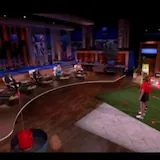
SOURCE READINESS
TOTAL FOOTAGE
11m

THE ASSET

  • Brand video, 11:25, horizontalEDITED VIDEO
    READINESS
    90, post ready
    MOMENT STRENGTH
    75 of 100
    SPOKEN OPENERS
    9 cuts open on a line
    SPEECH
    165 words a minute
    FIND TIME
    About 1 min a clip
    9:16 CROP FIT
    45 of 100
    FORMAT FIT
    CUT CLIPS
    Open this video in Drive
    • Skip to 3:41
    • Skip to 7:30
    • Skip to 9:26

MOMENTS

Brand video, 11:25, horizontal

What to make

CLIPS
5strong momentsOur analysis
LENGTH
19 to 60secondsOur analysis
FORMAT
9:16Reframe, captions onBrief
POST ON
  • TikTokFITS
  • InstagramFITS
  • YouTubeFITS
Brief

FROM

Cut the best moments from a 11 minute video

Our analysis6 strong cut points found in the footage

THE CLIPS, BEST FIRST

  1. Brand clip 1 of 1

    Brand footage11:25HORIZONTAL

    An 11 minute brand video with 2 speakers, in English. 5 strong moments, the best at 3:41: From $5,000 to $12 million.

    Open footage folder
    1. 3:41 to 4:4160 seconds

      From $5,000 to $12 million

      Brand clip 1 of 1, at 3:41

      • Moment score 82 of 100
      • Opens on a spoken line
      • 9:16 fit 45, crop with care
      1. Cut 3:41 to 4:41, 60 seconds
      2. Open on the first spoken line, no lead in
      3. Crop to 9:16 and keep the subject in the middle
      4. Add on-screen captions, the brief asks for them
      5. End on the call to action the brief asks for
      Skip to 3:41Open brand clip 1 in Drive
    2. 7:30 to 7:4919 seconds

      I'm out on Bucket Golf

      Brand clip 1 of 1, at 7:30

      • Moment score 72 of 100
      • Opens on a spoken line
      • 9:16 fit 45, crop with care
      1. Cut 7:30 to 7:49, 19 seconds
      2. Open on the first spoken line, no lead in
      3. Crop to 9:16 and keep the subject in the middle
      4. Add on-screen captions, the brief asks for them
      5. End on the call to action the brief asks for
      Skip to 7:30Open brand clip 1 in Drive
    3. 9:26 to 10:2559 seconds

      Sharks bid down to 12.5 percent

      Brand clip 1 of 1, at 9:26

      • Moment score 71 of 100
      • Opens on a spoken line
      • 9:16 fit 45, crop with care
      1. Cut 9:26 to 10:25, 59 seconds
      2. Open on the first spoken line, no lead in
      3. Crop to 9:16 and keep the subject in the middle
      4. Add on-screen captions, the brief asks for them
      5. End on the call to action the brief asks for
      Skip to 9:26Open brand clip 1 in Drive

MUST INCLUDE

  • End with the call to action“A call to action directing viewers to the Bucket Golf website”
  • Put the campaign link in your bio
  • Use the sound the brief names“✓ Prioritize original episode audio.”
  • Add captions“✕ DO NOT use POVs, captions, or hooks that invent claims, reactions, outcomes, or context not supported by the episode.”

AVOID

  • No bought views or bots“Paid, purchased, botted, manipulated, or artificially generated views are prohibited.”
  • No outside footage“✕ DO NOT use any footage outside the provided Bucket Golf Shark Tank episode, even if it comes from Bucket Golf's own channels.”
  • No reposts of other clips
  • No misleading claims“No false claims or misleading context”

HOW TO GET THE FOOTAGE

  • The brand provides the clips in a Google Drive folder linked in the briefBrief“Do not create or use your [link] own profile picture.”

Common questions

How much does the Bucket Golf clipping campaign pay?

It pays $1.75 per 1,000 views on TikTok, Instagram and YouTube. One clip pays at most $100.

How much budget is left in the Bucket Golf clipping campaign?

$2,906 of a $3,000 budget is left at 22:00 UTC on 5 Oct 2026.

Which platforms count for the Bucket Golf clipping campaign?

Views on 3 platforms count: TikTok, Instagram and YouTube.

What does it take to get paid?

A clip is paid once it has earned at least $1.75.

Where can I join the Bucket Golf clipping campaign?

It is listed on 1 board: Content Rewards.

Similar campaigns