News

Updated

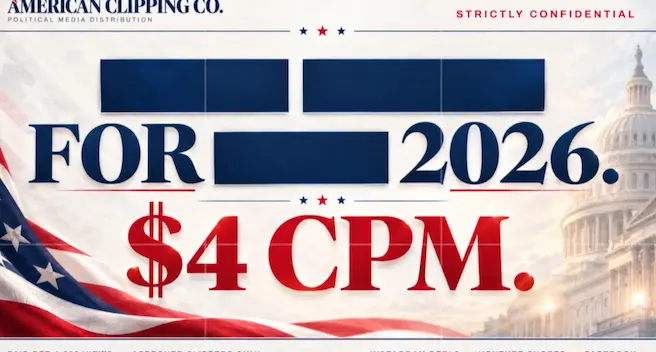
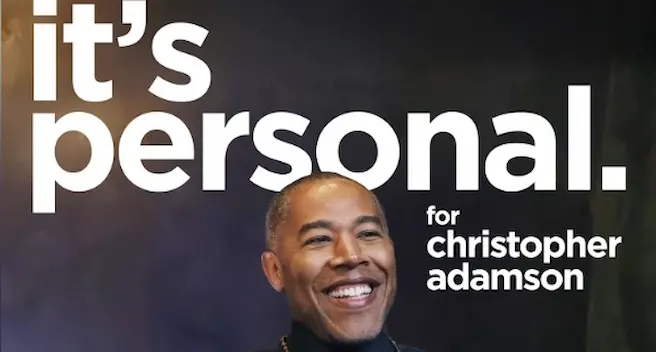
Steve Hilton clipping campaign

Post on Instagram, YouTubeEnded, budget used

What happened to the Steve Hilton clipping campaign?

It ended on 20 Oct 2026 when its budget was used, after 11 days. It used $14,700 of its $14,700 budget, about $1,336 a day, half of it by day 3. The rate moved from $6 to $10 per 1,000 views on 11 Oct.

LAST CPM
Last paid $10.00 per 1K views
STARTED
8 Oct
ENDED
20 Oct
RAN
Ran 11 days
BUDGET
$14,700 budget
BUDGET USED
$14,700 of $14,700 used
USED A DAY
About $1,336 used a day
HALF USED
Half the budget used by day 3
  1. $6.00CPM from 8 Oct
  2. $10.00CPM from 11 Oct

Alert me when Steve Hilton launches againGet alerts

Live alternatives

Clipping campaign rules

Brief A: clear, 2 red flags (no length and rules changed later), use only the brand's footage and do not bury the disclosure in hashtags, comments or your bio.

  • Open to join
  • , Unverified organizer
  • , $600 max a clip
  • , $1 min payout
  • , Paid in 10 days
  • , 10% platform fee
Open the brief

Footage rules

  • Use only the brand's footage
  • Use only approved footage and original audio
  • No outside footage

Content limits

  • Confidentiality never limits required disclosures, labels or political disclaimers
  • No AI-generated content, screen recordings, outside footage or meaning-changing edits
  • If required disclaimer wording is missing, do not publish, request it first
Show all 49 rules

More footage rules

  • Niche: Private political clipping campaign footage, one narrow niche

More content limits

  • Keep nonpublic campaign materials, internal communications and access links private
  • No AI generated visuals
  • No misleading claims
  • If required sponsor or political disclaimer wording is missing, do not publish, request it first

Caption and tags

  • Begin every caption or YouTube description with “#Ad, I was paid to post this.”
  • Tag the sponsor with Instagram’s Paid Partnership label on every post
  • Say required spoken disclosures on YouTube despite the original-audio rule
  • Put an on-screen #Ad/Advertisement label at the start of every clip
  • A caption or platform label does not replace the in-video disclosure
  • Do not bury the disclosure in hashtags, comments or your bio
  • If the Paid Partnership label is unavailable, do not publish, contact the team first
  • Never omit or obscure a required disclosure
  • Disclosure must be visible without expanding the caption or description text
  • Paid-content disclosure must be at the beginning of the caption or description
  • Disclose the ad on every post
    • #Ad
    • On-screen “Advertisement” label
    • Paid Partnership label
    • Paid-promotion checkbox
    • Spoken disclosure
    • Labeled thumbnail
    • #Ad/Advertisement
    • Paid-promotion box
    • #Ad/Advertisement label
  • Say a spoken disclosure within the first 10 seconds on YouTube
  • Disclose at the beginning of the caption or description
  • Write in the caption#Ad, I was paid to post this.
  • At the start of the caption
  • If the Paid Partnership label is unavailable, do not publish, contact the campaign team first
  • On YouTube add the paid-promotion box, spoken disclosure and labeled thumbnail

Format rules

  • Display “Advertisement” or “#Ad” on-screen at the very start of every clip
  • Use original audio only
  • Captions on screen
  • Niches
    • News politics

Payout checks

  • If it fails: Noncompliant posts will be rejected or must be corrected
  • At least 70% of viewers in
    • US
  • Views count from
    • US

Posting rules

  • Submit every draft for approval before publishing
  • Do not post on X, TikTok or Facebook, posts there are not eligible
  • Post must match the approved draft and include every disclosure
  • Submit the live post link
  • Get approval before you post

Other rules

  • US citizens or lawful permanent residents only
  • Only US citizens or permanent residents may join
  • Apply and receive approval before participating
  • Add the approved sponsor as the brand partner
  • Check YouTube’s paid-promotion checkbox
  • Label the YouTube thumbnail or preview image with “Advertisement” or “#Ad”

Keep exploring

More on Content Rewards