Updated

Customuse clipping campaign

Post on TikTok, Instagram, YouTube

CPM
$1.00 per 1K views
AFTER 10% FEE
$0.90 per 1K views after the 10% platform fee

About

Customuse clips for creators who build Roblox items, with pre-made footage and reference videos to edit from. Cut 20 to 30 second videos with a hook, a short script and a voiceover, keeping the pace fast and ending on "it's called Customuse". Post them on Instagram, TikTok and YouTube.

Pay per clip

On TikTok

PER CLIP

  • 10KVIEWS$910K views pays $9
  • 50KVIEWS$4550K views pays $45
  • 100KVIEWS$90100K views pays $90
MIN PAYOUT
Paid out from $1
MAX A CLIP
At most $1,080 a clip after the fee

Your clips

Take home
$450
Per clip
$45
Platform fee
$50
  • That is more than the $136.64 budget left.
Open pay calculator

WHY THIS SCORE

Beats 0% of clipping campaigns

≈$9 per clip at 10K views

  • PayOK, fair$1.00 per 1K
  • BudgetTight, weak$137 left
  • FillFast, good$1,163 in 14 days
  • ConfidenceMedium, fairProven, fills like the market
  • Payout rulesOK, fairEst. 6 in 10 clips qualify
  • ApprovalNo data yet, not measured
  • ContentWeak, weakQuality 34 of 100
How we rank

How long will the budget last?

At this pace the budget lasts until about 20 Nov. $137 of $3,125 is left, spent at about $121 a day.

SPENT A DAY
$121
BUDGET LEFT
4% of the budget left
PAID OUT
$447 paid out, platform-reported

Is the Customuse Creators clipping campaign legit?

Content Rewards reports $409,451 paid out on 221 campaigns since 1 Oct 2026, with per view pay in rounds about every 10 days. Content Rewards reports $447 paid out on this campaign. This is Customuse Creators's only round so far, with a payout on record.

THIS CAMPAIGN

PAID OUT
$447 paid out on this campaign
REJECT RULES
28

CONTENT REWARDS, ALL CAMPAIGNS

PAID OUT
Content Rewards reports $409,451 paid out on 221 campaigns
CAMPAIGNS
221
PAID EVERY
Per view pay in rounds about every 10 days, until 30 days after the clip is submitted

Clipping campaign rules

Brief B: solid, 4 red flags (comment duties, no ad disclosure, no deadline and no length), use only the brand's footage, don't bury disclosure mid-caption. The brand shares two footage links and two brief documents, and sets one content rule on audience details.

  • Open to join
  • , Unverified organizer
  • , 1K min views
  • , 1% min engagement
  • , 10 min likes
  • , $1.2K max a clip
  • , Paid every 10 days, for 30 days
Open the brief

Footage rules

  • Use only the brand's footage
  • Don't upload provided footage with zero changes
  • Don't reuse the same hook, audio and edit every post

Content limits

  • Don't add link in bio overlays or aggressive promotion
  • Don't use TikTok promotion or un-organic view methods
  • Don't spam uploads or submissions
Show all 116 rules

More footage rules

  • No reposts of other clips
  • No low effort reuploads
  • Download the supplied videos and film extra bits if needed
  • Rotate hooks, never reuse a hook twice in a week

More content limits

  • Nothing off the campaign topic
  • Video must not feel like a tech demo or an ad
  • Spamming uploads or submissions will get you banned
  • Botters are permanently IP banned
  • Bio must read: The Dream AI platform for Roblox Devs > Customuse.com

Caption and tags

  • Don't bury disclosure mid-caption
  • Caption must start with hook text, then hashtags in order #ad #Customuse #robloxdev #roblox
  • Disclose the ad on every post
  • Disclosure must be in the visible caption, not only after more
  • Disclosure must be clear and conspicuous, never buried in a paragraph
  • Use native captions and fonts per platform
  • Post CTA mentioning Customuse with logo for 2 seconds
  • Add the hashtags
    • #Customuse
    • #robloxugc
    • #roblox
    • #robloxdev
  • Write in the captionBuild w/ Customuse MCP
  • Put the campaign link in your bio
  • Pin this comment, plus natural comment and description mentioning Customuse, pinned if platform allowsI used Customuse
  • Caption structure: [your hook text] then hashtags
  • Script: hook, why Customuse is good, then the logo
  • Save a payoff for the second half of the video
  • End with a call to action
  • Remove verification code from bio after verifying

Format rules

  • The finished creation and the text Build w/ Customuse MCP must be visible
  • Don't use cross-posted watermarks
  • If too long, cut a point, don't speed up
  • Don't keep a hook that fails the mute test, rewrite it
  • No other platform watermarks
  • Hook must stop a muted scroller within the first three seconds
  • 12 to 30 seconds long
  • In English
  • Niche: Roblox content, one narrow niche
  • A small logo or watermark in a corner
  • Standard effort, a clean edit
  • Match the style of the reference edit
  • Follow the example edit
  • Show the finished item within the first 3 seconds, then show how it was made
  • Use native captions and fonts matching each platform
  • End on the result held on screen for a beat, not a hard cut
  • Hook text on screen within the first 0.5 seconds
  • Add a cut, zoom, transition or speed change
  • Add trending audio at low volume under the clip
  • Trim to 12 to 25 seconds
  • Show finished item first, process second
  • Write script before editing
  • Keep scripts 20 to 30 seconds, read fast
  • Add opening sound effect and meme sounds throughout
  • Engage 15 minutes daily after posting starts
  • Write the script before you edit
  • Spend most of your time on the hook line
  • Check the voice says "Customuse" properly before editing
  • Add music (trendy or elevator)
  • Check the voiceover pronounces "Customuse" correctly before editing
  • Rotate hooks and never use the same hook twice in a week

Payout checks

  • Don't bot, use pods or purchased traffic
  • No bought views, likes or bots
  • At least 40% of viewers in
    • US
    • UK
    • CA
    • AU
    • DE
    • NZ
    • NO
    • CH
    • DK
    • SE
    • NL
    • AT
    • FR
    • BE
    • FI
    • IE
    • IT
    • ES
    • IS
    • PT
    • CZ
    • PL
  • Tier 1 (Payout Regions) audience
  • If it fails: Majority non Payout Region audience gets rejected
  • Views count from
    • US
    • UK
    • AU
    • CA
    • DE
    • NZ
    • NO
    • CH
    • DK
    • SE
    • NL
    • AT
    • FR
    • BE
    • FI
    • IE
    • IT
    • ES
    • IS
    • PT
    • CZ
    • PL

Posting rules

  • No TikTok promotion or un-organic view methods
  • Don't run six accounts off one device posting the same clip
  • Don't delete underperforming videos
  • Keep likes, comments and shares public
  • Read the full instructions before posting to get videos approved
  • Max 3 uploads per platform per day, 12 total per creator per day
  • Vary each upload: different hook, audio, clip section
  • Post in US windows: 7 to 9am, 12 to 2pm, 6 to 10pm ET
  • Get approval before you post
  • Best posting windows are 7 to 9am, 12 to 2pm, 6 to 10pm ET

Other rules

  • End every script with it's called Customuse
  • Delete every pause and breath in the voiceover
  • Always finish with "it's called Customuse"
  • End on the result held for a beat
  • Put the name on screen at the end and hold it
  • If a video underperforms, don't delete it
  • Watch the reference videos first
  • Save something for later to keep people watching
  • Use your own cloned voice (CapCut or ElevenLabs)
  • Use a new clip each time the script moves on
  • Ask before exporting if stuck
  • Include demographic information
  • Add a pinned comment and description mentioning Customuse

MATERIALS

What to clip

2 UGC promos. Post them as is or trim to the hook.

About 34 minutes a clip, finding and cutting.

SOURCE READINESS
ASSETS
8
TOTAL FOOTAGE
10m
ANALYSED
8m
SAMPLE
8 of 48clips analysed
  • 5 of 8assets share the best format: vertical under 3 minutes
  • 1 of 8clips open on a spoken hook in the first 3 seconds
  • 7 of 8have no speech, add captions or a voiceover
  • 7 of 8carry on-screen text, keep it in frame when cropping

THE ASSETS

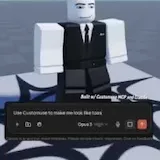
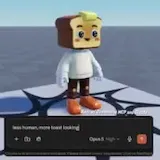
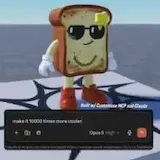
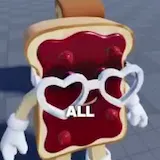
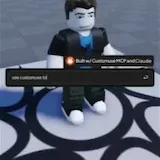
  • A voice turns a Roblox avatar into toast and demands 10,000 times more cool and a girlfriendSCRIPTED AD18sVERTICAL

    A voice asks Customuse to make them look like toast, and the avatar turns less human and more toast-looking. The speaker says the result looks better, asks for 10,000 times more cool and then asks for a cool girlfriend. A voice claims all Roblox developers use Customuse MCP with Claude.

    WHY WATCH

    The prompts escalate from toast to 10,000 times cooler to a cool girlfriend while the avatar keeps changing.

    • A voice turns a Roblox avatar into toast and demands 10,000 times more at 0:01
    • A voice turns a Roblox avatar into toast and demands 10,000 times more at 0:04
    • A voice turns a Roblox avatar into toast and demands 10,000 times more at 0:08
    • A voice turns a Roblox avatar into toast and demands 10,000 times more at 0:13
    READINESS
    45, needs cutting
    HOOK
    Spoken, first 3 seconds
    SPEECH
    133 words a minute
    ON-SCREEN TEXT
    5 lines
    CREATIVE
    Scripted ad
    FIND TIME
    None
    FORMAT FIT
    FITS
    A voice turns a Roblox avatar into toast and demands 10,000 times more at 0:01A voice turns a Roblox avatar into toast and demands 10,000 times more at 0:01
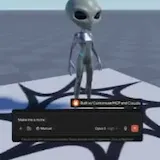
  • A Roblox prompt starts with a car and ends with a finished alien modelUGC PROMO29sVERTICAL

    A text prompt box types out a request for a car while a Roblox avatar stands in the viewport. The prompt then switches to an alien, and Customuse MCP and Claude build the alien Roblox model on screen.

    WHY WATCH

    One text prompt becomes a finished Roblox alien model, after the same tool first shows it can produce a car.

    • A Roblox prompt starts with a car and ends with a finished alien model at 0:01
    • A Roblox prompt starts with a car and ends with a finished alien model at 0:07
    • A Roblox prompt starts with a car and ends with a finished alien model at 0:14
    • A Roblox prompt starts with a car and ends with a finished alien model at 0:21
    READINESS
    90, easy to cut
    HOOK
    Visual, first 3 seconds
    SPEECH
    None
    ON-SCREEN TEXT
    4 lines
    CREATIVE
    UGC promo
    FIND TIME
    None
    FORMAT FIT
    FITS
    A Roblox prompt starts with a car and ends with a finished alien model at 0:01A Roblox prompt starts with a car and ends with a finished alien model at 0:01
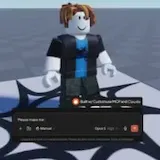
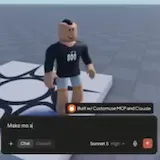
  • Customuse builds a Roblox tree avatar from the single prompt Make me a treeUGC PROMO1m of 1m readVERTICAL

    A Roblox character stands on a patterned platform while an AI prompt box asks Make me a tree, and a new avatar takes shape from that single prompt. On-screen text credits Customuse MCP and Claude for the build and names Sonnet 5 High as the model behind the result.

    Covers the first 1 of 1 minutes.

    WHY WATCH

    A whole Roblox avatar comes out of one plain-language prompt, with the screen naming Customuse MCP, Claude and Sonnet 5 High as the stack behind it.

    • Customuse builds a Roblox tree avatar from the single prompt Make me at 0:01
    • Customuse builds a Roblox tree avatar from the single prompt Make me at 0:04
    READINESS
    90, easy to cut
    HOOK
    Visual, first 3 seconds
    SPEECH
    None
    ON-SCREEN TEXT
    3 lines
    CREATIVE
    UGC promo
    FIND TIME
    None
    FORMAT FIT
    TOO LONGFITSTOO LONG
    Customuse builds a Roblox tree avatar from the single prompt Make me at 0:01Customuse builds a Roblox tree avatar from the single prompt Make me at 0:01
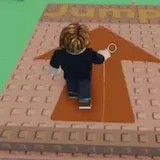
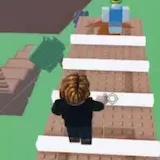
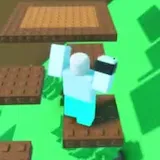
  • A Roblox avatar runs a jump obby and hops up a brick staircase toward a big arrowB-ROLL35sVERTICAL

    A Roblox avatar runs a jump obby and hops up a brick staircase. It approaches a large arrow for the jump as the word Jump appears on screen.

    • A Roblox avatar runs a jump obby and hops up a brick staircase toward at 0:01
    • A Roblox avatar runs a jump obby and hops up a brick staircase toward at 0:08
    • A Roblox avatar runs a jump obby and hops up a brick staircase toward at 0:17
    • A Roblox avatar runs a jump obby and hops up a brick staircase toward at 0:26
    READINESS
    90, easy to cut
    HOOK
    Visual, first 3 seconds
    SPEECH
    None
    ON-SCREEN TEXT
    1 line
    CREATIVE
    Organic
    FIND TIME
    None
    FORMAT FIT
    FITS
    A Roblox avatar runs a jump obby and hops up a brick staircase toward at 0:01A Roblox avatar runs a jump obby and hops up a brick staircase toward at 0:01
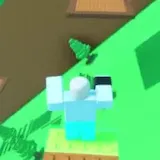
  • A Roblox avatar jumps across a green obby of blocky platformsB-ROLL3mVERTICAL

    A Roblox avatar jumps from platform to platform through a green obby built from blocky platforms.

    • A Roblox avatar jumps across a green obby of blocky platforms at 0:01
    • A Roblox avatar jumps across a green obby of blocky platforms at 0:43
    • A Roblox avatar jumps across a green obby of blocky platforms at 1:26
    • A Roblox avatar jumps across a green obby of blocky platforms at 2:09
    READINESS
    90, easy to cut
    HOOK
    Visual, first 3 seconds
    SPEECH
    None
    ON-SCREEN TEXT
    1 line
    CREATIVE
    Organic
    FIND TIME
    None
    FORMAT FIT
    TOO LONG
    A Roblox avatar jumps across a green obby of blocky platforms at 0:01A Roblox avatar jumps across a green obby of blocky platforms at 0:01
  • The avatar works its way up the plank platforms one level at a timeB-ROLL2mVERTICAL

    The avatar works its way up the plank platforms one level at a time.

    • The avatar works its way up the plank platforms one level at a time at 0:01
    • The avatar works its way up the plank platforms one level at a time at 0:25
    • The avatar works its way up the plank platforms one level at a time at 0:51
    • The avatar works its way up the plank platforms one level at a time at 1:16
    READINESS
    90, easy to cut
    HOOK
    Visual, first 3 seconds
    SPEECH
    None
    ON-SCREEN TEXT
    None
    CREATIVE
    Organic
    FIND TIME
    None
    FORMAT FIT
    TOO LONG
    The avatar works its way up the plank platforms one level at a time at 0:01The avatar works its way up the plank platforms one level at a time at 0:01
  • A typed Customuse prompt builds a Roblox character live on screenSCRIPTED AD1mVERTICAL

    A prompt types itself out beside a Roblox character, shortening from use customuse to make a to use cus as the character says hello. The screen shows the character was built with Customuse MCP and Claude.

    WHY WATCH

    The on-screen text types the prompt live and shrinks it to use cus while the Customuse MCP and Claude integration turns it into a Roblox character.

    • A typed Customuse prompt builds a Roblox character live on screen at 0:01
    • A typed Customuse prompt builds a Roblox character live on screen at 0:20
    • A typed Customuse prompt builds a Roblox character live on screen at 0:40
    • A typed Customuse prompt builds a Roblox character live on screen at 1:00
    READINESS
    45, needs cutting
    HOOK
    Visual, first 3 seconds
    SPEECH
    None
    ON-SCREEN TEXT
    6 lines
    CREATIVE
    Scripted ad
    FIND TIME
    None
    FORMAT FIT
    TOO LONGFITSTOO LONG
    A typed Customuse prompt builds a Roblox character live on screen at 0:01A typed Customuse prompt builds a Roblox character live on screen at 0:01
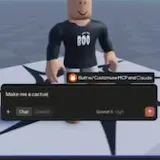
  • A text prompt turns a Roblox avatar's desert scene into a giant cactusSCRIPTED AD1m of 1m readVERTICAL

    A Roblox avatar stands in a desert scene until a text prompt reading Make me a cactus appears over it, and the output turns the scene into a giant cactus. On-screen text names Customuse MCP and Claude, and the screen shows a Sonnet 5 High setting and an Output label.

    Covers the first 1 of 1 minutes.

    WHY WATCH

    The clip shows one typed prompt reshaping the whole desert scene into a giant cactus, the moment the ad sells.

    • A text prompt turns a Roblox avatar's desert scene into a giant cactus at 0:01
    • A text prompt turns a Roblox avatar's desert scene into a giant cactus at 0:04
    READINESS
    45, needs cutting
    HOOK
    Visual, first 3 seconds
    SPEECH
    None
    ON-SCREEN TEXT
    4 lines
    CREATIVE
    Scripted ad
    FIND TIME
    None
    FORMAT FIT
    TOO LONGFITSTOO LONG
    A text prompt turns a Roblox avatar's desert scene into a giant cactus at 0:01A text prompt turns a Roblox avatar's desert scene into a giant cactus at 0:01

1 video could not be read: no usable audio

Top clips

  1. #1 YouTube 23.3K views

    By @AuraStories67

  2. #2 YouTube 18.9K views

  3. #3 YouTube 18.1K views

  4. #4 YouTube 17.4K views

  5. #5 YouTube 16.2K views

  6. #6 YouTube 15K views

Show all 10
  1. #7 YouTube 11.5K views

  2. #8 YouTube 11.1K views

  3. #9 YouTube 11.1K views

  4. #10 YouTube 10.9K views

What to make

POST ONFrom the brief: “YouTube Shorts · TikTok · Instagram Reels”
  • TikTok
  • Instagram
  • YouTube
LENGTHFrom the brief: “20, 30 seconds, read fast.”
20 to 30s
FORMATOur analysis: The footage is already vertical
9:16

BRAND CLIPS

8 of 8 clips analysed, 8 need an edit

Brand clips on
  1. A voice turns a Roblox avatar into toast and demands 10,000 times more cool and a girlfriendBrand footage, 18 seconds, Vertical 9:16

    Needs your edit

    Roblox avatar turned into toast with Customuse

    • CLIP POTENTIAL53
    • Opens on a spoken line in the first 3 seconds
    • 5 lines of on-screen text
    • TikTok buries polished ads
    • Already vertical 9:16
    • Fits the brief's length
    1. Cut a native hook from it or use it as an end card
    2. Keep the brand logo on screen
    3. In the post caption, add #Customuse #robloxugc #roblox #robloxdev #ad
    4. End on the call to action the brief asks for
  2. A Roblox prompt starts with a car and ends with a finished alien modelBrand footage, 29 seconds, Vertical 9:16

    Needs your edit

    Text prompt generates Roblox alien model

    • CLIP POTENTIAL30
    • No spoken hook in the first 3 seconds
    • 4 lines of on-screen text
    • UGC promo, native creator style
    • No speech, add captions
    • Already vertical 9:16
    • Fits the brief's length
    1. Post it as is or trim to the hook
    2. Add captions or on-screen text, the clip has no speech
    3. Keep the brand logo on screen
    4. In the post caption, add #Customuse #robloxugc #roblox #robloxdev #ad
    5. End on the call to action the brief asks for
  3. Customuse builds a Roblox tree avatar from the single prompt Make me a treeBrand footage, 69 seconds, Vertical 9:16

    Needs your edit

    Roblox avatar generated in Customuse from a prompt

    • CLIP POTENTIAL30
    • No spoken hook in the first 3 seconds
    • 3 lines of on-screen text
    • UGC promo, native creator style
    • No speech, add captions
    • Already vertical 9:16
    • Over the brief's 30 seconds
    1. Post it as is or trim to the hook
    2. Trim it to 30 seconds or less, keep the opening
    3. Add captions or on-screen text, the clip has no speech
    4. Keep the brand logo on screen
    5. In the post caption, add #Customuse #robloxugc #roblox #robloxdev #ad
    6. End on the call to action the brief asks for
  4. A Roblox avatar runs a jump obby and hops up a brick staircase toward a big arrowBrand footage, 35 seconds, Vertical 9:16

    Needs your edit

    Roblox avatar runs a jump obby

    • CLIP POTENTIAL28
    • No spoken hook in the first 3 seconds
    • 1 line of on-screen text
    • No speech, add captions
    • Already vertical 9:16
    • Over the brief's 30 seconds
    1. Trim it to its strongest seconds, no lead in
    2. Trim it to 30 seconds or less, keep the opening
    3. Add captions or on-screen text, the clip has no speech
    4. Keep the brand logo on screen
    5. In the post caption, add #Customuse #robloxugc #roblox #robloxdev #ad
    6. End on the call to action the brief asks for
  5. A Roblox avatar jumps across a green obby of blocky platformsBrand footage, 173 seconds, Vertical 9:16

    Needs your edit

    Roblox avatar jumps across obby platforms

    • CLIP POTENTIAL28
    • No spoken hook in the first 3 seconds
    • 1 line of on-screen text
    • No speech, add captions
    • Already vertical 9:16
    • Over the brief's 30 seconds
    1. Trim it to its strongest seconds, no lead in
    2. Trim it to 30 seconds or less, keep the opening
    3. Add captions or on-screen text, the clip has no speech
    4. Keep the brand logo on screen
    5. In the post caption, add #Customuse #robloxugc #roblox #robloxdev #ad
    6. End on the call to action the brief asks for
  6. The avatar works its way up the plank platforms one level at a timeBrand footage, 102 seconds, Vertical 9:16

    Needs your edit

    Roblox avatar climbing tower of wooden planks

    • CLIP POTENTIAL28
    • No spoken hook in the first 3 seconds
    • No speech, add captions
    • Already vertical 9:16
    • Over the brief's 30 seconds
    1. Trim it to its strongest seconds, no lead in
    2. Trim it to 30 seconds or less, keep the opening
    3. Add captions or on-screen text, the clip has no speech
    4. Keep the brand logo on screen
    5. In the post caption, add #Customuse #robloxugc #roblox #robloxdev #ad
    6. End on the call to action the brief asks for
  7. A typed Customuse prompt builds a Roblox character live on screenBrand footage, 80 seconds, Vertical 9:16

    Needs your edit

    Roblox character generated from typed Customuse prompt

    • CLIP POTENTIAL22
    • No spoken hook in the first 3 seconds
    • 6 lines of on-screen text
    • TikTok buries polished ads
    • No speech, add captions
    • Already vertical 9:16
    • Over the brief's 30 seconds
    1. Cut a native hook from it or use it as an end card
    2. Trim it to 30 seconds or less, keep the opening
    3. Add captions or on-screen text, the clip has no speech
    4. Keep the brand logo on screen
    5. In the post caption, add #Customuse #robloxugc #roblox #robloxdev #ad
    6. End on the call to action the brief asks for
  8. A text prompt turns a Roblox avatar's desert scene into a giant cactusBrand footage, 77 seconds, Vertical 9:16

    Needs your edit

    Prompt turns Roblox avatar scene into giant cactus

    • CLIP POTENTIAL22
    • No spoken hook in the first 3 seconds
    • 4 lines of on-screen text
    • TikTok buries polished ads
    • No speech, add captions
    • Already vertical 9:16
    • Over the brief's 30 seconds
    1. Cut a native hook from it or use it as an end card
    2. Trim it to 30 seconds or less, keep the opening
    3. Add captions or on-screen text, the clip has no speech
    4. Keep the brand logo on screen
    5. In the post caption, add #Customuse #robloxugc #roblox #robloxdev #ad
    6. End on the call to action the brief asks for

MUST INCLUDE

  • Add #Customuse“[your hook text] #ad #Customuse #robloxugc #roblox”
  • Add #robloxugc“[your hook text] #ad #Customuse #robloxugc #roblox”
  • Add #roblox“[your hook text] #ad #Customuse #robloxugc #roblox”
  • Add #robloxdev“Required hashtags every time in this order: #ad #robloxdev #roblox”
  • Add #ad or the paid partnership label“[your hook text] #ad #Customuse #robloxugc #roblox”
  • Keep the brand logo on screen“An engaging hook, why customuse is good for Roblox assets, then the logo.”
  • End with the call to action“• Call to action mentioning Customuse and showing the logo for at least 2 seconds.”
  • Put the campaign link in your bio“Add “LINK IN BIO” style overlays or any aggressive promotion.”

AVOID

  • No bought views or bots“• Botters will be permanently IP banned”
  • No reposts of other clips
  • No low effort reuploads
  • No other platform watermarks“Cross-posted watermarks get suppressed.”
  • Stay on the campaign topic

GET THE FOOTAGE

  • The brand provides the clips in a Google Drive folder linked on Content Rewards
  • The brand provides the clips in a Google Drive file linked in the brief

Next round, rate rises, top-upsGet alerts

Ask your AI agent

How to join the Customuse Creators clipping campaign

Join on Content Rewards and post on TikTok, Instagram or YouTube. On Content Rewards, per view pay comes in rounds about every 10 days, until 30 days after the clip is submitted.
Common questions

How much budget is left in the Customuse Creators clipping campaign?

$137 of a $3,125 budget is left at 01:22 UTC on 20 Nov 2026.

Which apps count for the Customuse Creators clipping campaign?

Views on 3 apps count: TikTok, Instagram and YouTube. The rate is $1.00 per 1,000 views on TikTok and Instagram and $0.50 on YouTube.

What does it take to get paid?

A clip is paid once it has earned at least $0.50.

Similar campaigns