Updated

Wiped clipping campaign

Post on TikTok, Instagram, YouTube

CPM
$2.00 per 1K views
AFTER 10% FEE
$1.80 per 1K views after the 10% platform fee
LASTS
About 51d

About

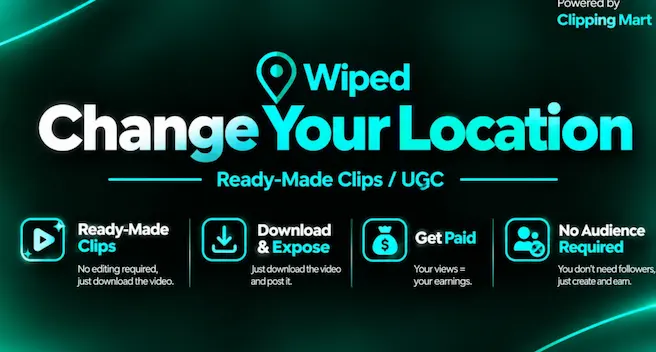
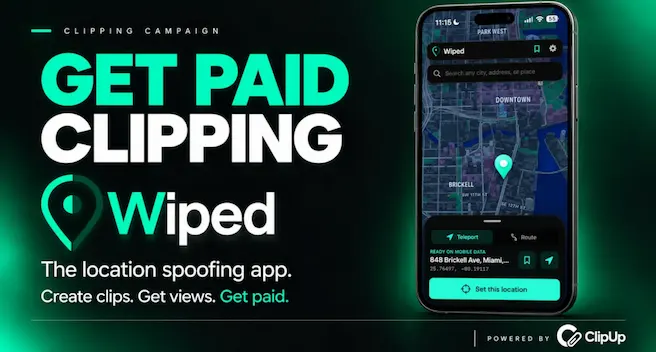
Wiped is an iPhone app for changing GPS location and simulating drives. Take the ready-made clips or shoot your own promo video, then post on TikTok, Instagram and YouTube. The footage is vertical b-roll and creator promos, about 1 minute each.

Pay per clip

On TikTok

PER CLIP

  • 10KVIEWS$1810K views pays $18
  • 50KVIEWS$9050K views pays $90
  • 100KVIEWS$135CAP100K views pays $135, at the $135 cap
MIN PAYOUT
Paid out from $2

Your clips

Take home
$900
Per clip
$90
Platform fee
$100
  • That is more than the $404.72 budget left.
Open pay calculator

WHY THIS SCORE

Beats 41% of clipping campaigns

≈$18 per clip at 10K views

  • PayHigh, good$2.00 per 1K
  • BudgetSmall, weak$405 left, about 200K views
  • FillSlow, weak73% spent in 52 days
  • ConfidenceMedium, fairSome spend data
  • Payout rulesEasy, goodEst. 7 in 10 reach 1K views
  • ApprovalNo data yet, not measured
  • ContentWeak, weakQuality 41 of 100
  • Slow fill: 73% spent in 52 days−10
  • Medium confidence: some spend data−2
  • Small budget: $405 left−4
  • $28 paid to clippers in 7 days−35
How we rank

How long will the budget last?

$405 of $1,500 is left, spent at about $7 a day.

LASTS UNTIL
Budget lasts until about 10 Jan
SPENT A DAY
$7
BUDGET LEFT
27% of the budget left
Chart as table
TIMELEFT
20 Oct 2026, 02:51 UTC$843
20 Oct 2026, 10:41 UTC$805
20 Oct 2026, 18:27 UTC$785
21 Oct 2026, 02:47 UTC$760
21 Oct 2026, 10:44 UTC$758
21 Oct 2026, 18:44 UTC$748
22 Oct 2026, 02:09 UTC$739
22 Oct 2026, 10:49 UTC$733
22 Oct 2026, 18:44 UTC$718
23 Oct 2026, 02:39 UTC$701
23 Oct 2026, 10:49 UTC$686
23 Oct 2026, 17:44 UTC$806
24 Oct 2026, 02:24 UTC$803
24 Oct 2026, 09:49 UTC$803
24 Oct 2026, 17:59 UTC$800
25 Oct 2026, 02:14 UTC$772
25 Oct 2026, 10:00 UTC$752
25 Oct 2026, 18:50 UTC$737
26 Oct 2026, 02:35 UTC$715
26 Oct 2026, 10:27 UTC$695
26 Oct 2026, 18:44 UTC$677
27 Oct 2026, 02:32 UTC$652
27 Oct 2026, 10:24 UTC$620
27 Oct 2026, 18:04 UTC$596
28 Oct 2026, 01:50 UTC$575
28 Oct 2026, 10:41 UTC$563
28 Oct 2026, 17:59 UTC$560
29 Oct 2026, 02:21 UTC$538
29 Oct 2026, 10:41 UTC$531
29 Oct 2026, 17:56 UTC$518
30 Oct 2026, 02:11 UTC$498
30 Oct 2026, 10:29 UTC$496
30 Oct 2026, 18:16 UTC$463
31 Oct 2026, 02:02 UTC$434
31 Oct 2026, 09:57 UTC$405
31 Oct 2026, 17:58 UTC$414
1 Nov 2026, 02:08 UTC$400
1 Nov 2026, 10:38 UTC$413
1 Nov 2026, 18:33 UTC$405
2 Nov 2026, 01:48 UTC$396
2 Nov 2026, 10:13 UTC$382
2 Nov 2026, 17:43 UTC$414
3 Nov 2026, 02:13 UTC$414
3 Nov 2026, 04:28 UTC$399
3 Nov 2026, 17:53 UTC$388
4 Nov 2026, 02:18 UTC$372
4 Nov 2026, 10:28 UTC$339
4 Nov 2026, 18:18 UTC$335
5 Nov 2026, 02:13 UTC$338
5 Nov 2026, 10:18 UTC$322
5 Nov 2026, 17:43 UTC$306
6 Nov 2026, 02:13 UTC$297
6 Nov 2026, 10:28 UTC$272
6 Nov 2026, 17:23 UTC$236
7 Nov 2026, 02:35 UTC$214
7 Nov 2026, 10:25 UTC$211
7 Nov 2026, 18:50 UTC$209
8 Nov 2026, 02:46 UTC$207
8 Nov 2026, 10:21 UTC$285
8 Nov 2026, 18:16 UTC$419
9 Nov 2026, 02:18 UTC$419
9 Nov 2026, 10:43 UTC$441
9 Nov 2026, 18:38 UTC$416
10 Nov 2026, 00:28 UTC$415
10 Nov 2026, 10:13 UTC$392
10 Nov 2026, 18:38 UTC$361
11 Nov 2026, 00:35 UTC$360
11 Nov 2026, 10:41 UTC$360
11 Nov 2026, 18:11 UTC$360
12 Nov 2026, 02:15 UTC$359
12 Nov 2026, 10:06 UTC$355
12 Nov 2026, 18:27 UTC$350
13 Nov 2026, 02:38 UTC$433
13 Nov 2026, 10:24 UTC$433
13 Nov 2026, 18:06 UTC$433
14 Nov 2026, 01:25 UTC$433
14 Nov 2026, 10:16 UTC$433
14 Nov 2026, 17:16 UTC$433
15 Nov 2026, 02:31 UTC$433
15 Nov 2026, 09:21 UTC$433
15 Nov 2026, 18:02 UTC$433
16 Nov 2026, 02:12 UTC$432
16 Nov 2026, 09:27 UTC$432
16 Nov 2026, 18:04 UTC$429
17 Nov 2026, 01:38 UTC$428
17 Nov 2026, 06:49 UTC$428
17 Nov 2026, 17:49 UTC$424
18 Nov 2026, 01:24 UTC$421
18 Nov 2026, 10:19 UTC$412
18 Nov 2026, 18:16 UTC$412
19 Nov 2026, 02:03 UTC$411
19 Nov 2026, 10:38 UTC$411
19 Nov 2026, 18:06 UTC$405
20 Nov 2026, 00:07 UTC$405

Is the Wiped clipping campaign legit?

Content Rewards reports $409,451 paid out on 221 campaigns since 1 Oct 2026, with per view pay in rounds about every 10 days. Wiped has run 2 rounds.

THIS CAMPAIGN

REJECT RULES
3

WIPED

ROUNDS
2 rounds by Wiped

CONTENT REWARDS, ALL CAMPAIGNS

PAID OUT
Content Rewards reports $409,451 paid out on 221 campaigns
CAMPAIGNS
221
PAID EVERY
Per view pay in rounds about every 10 days, until 30 days after the clip is submitted

Clipping campaign rules

Brief A: clear, 2 red flags (missing essentials and no ad disclosure), the brand's footage and your own, no reposted content. The brand shares three footage links, and sets a few content rules.

  • Open to join
  • , Unverified organizer
  • , Paid every 10 days, for 30 days
Open on Content Rewards

Footage rules

  • Do not repost content
  • No reposts of other clips
  • The brand's footage and your own

Content limits

  • No reposted content

Format rules

  • Niche: Software, Technology, a broad niche

What to clip

3 UGC promos. Post them as is or trim to the hook.

About 32 minutes a clip, finding and cutting.

SOURCE READINESS
ASSETS
8
TOTAL FOOTAGE
3m
SAMPLE
8 of 62clips analysed
  • 5 of 8assets share the best format: vertical under 30s
  • 8 of 8have no speech, add captions or a voiceover
  • 8 of 8carry on-screen text, keep it in frame when cropping

THE ASSETS

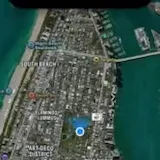
  • A screen recording shows the Wiped app teleporting a device's location to Miami BeachUGC PROMO31sVERTICAL

    The Wiped app opens a search field for city, ZIP, address, or place, pulls up Miami International Airport and selects Miami Pines and Miami, MI. The app then teleports the device's location to Miami Beach and the screen shows LOCATION ACTIVE.

    WHY WATCH

    The clip captures the app switching into its Teleport state and locking in LOCATION ACTIVE on the Miami Beach map view.
    • A screen recording shows the Wiped app teleporting a device's location at 0:01
    • A screen recording shows the Wiped app teleporting a device's location at 0:07
    • A screen recording shows the Wiped app teleporting a device's location at 0:15
    • A screen recording shows the Wiped app teleporting a device's location at 0:23
    READINESS
    90, easy to cut
    HOOK
    Visual, first 3 seconds
    SPEECH
    None
    ON-SCREEN TEXT
    8 lines
    CREATIVE
    UGC promo
    FIND TIME
    None
    FORMAT FIT
    FITS
    A screen recording shows the Wiped app teleporting a device's location at 0:01A screen recording shows the Wiped app teleporting a device's location at 0:01
  • The Wiped app teleports an iPhone's location from Dubai to the CN Tower in TorontoUGC PROMO31sVERTICAL

    Wiped shows Dubai on its map and offers a Teleport option, with a search field that prompts for any address or place.

    WHY WATCH

    The pin jumps across the world from Dubai to the CN Tower area, revealing a location-spoofing app that can search any address or place.

    • The Wiped app teleports an iPhone's location from Dubai to the CN Tower at 0:01
    • The Wiped app teleports an iPhone's location from Dubai to the CN Tower at 0:07
    • The Wiped app teleports an iPhone's location from Dubai to the CN Tower at 0:15
    • The Wiped app teleports an iPhone's location from Dubai to the CN Tower at 0:23
    READINESS
    90, easy to cut
    HOOK
    Visual, first 3 seconds
    SPEECH
    None
    ON-SCREEN TEXT
    8 lines
    CREATIVE
    UGC promo
    FIND TIME
    None
    FORMAT FIT
    FITS
    The Wiped app teleports an iPhone's location from Dubai to the CN Tower at 0:01The Wiped app teleports an iPhone's location from Dubai to the CN Tower at 0:01
  • The Wiped app teleports its map from a Miami street to Dubai International AirportUGC PROMO19sVERTICAL

    The Wiped app opens on a Miami address, W Eighth St, marked LOCATION ACTIVE, with Routes listed and a speeding counter reading 00:02. The user taps the Teleport option and the map jumps from Miami to Dubai International Airport, which the app now marks as the active location.

    WHY WATCH

    The tap switches the active location from a Miami street to Dubai International Airport in seconds, showing the teleport feature working end to end.
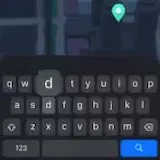
    • The Wiped app teleports its map from a Miami street to Dubai at 0:01
    • The Wiped app teleports its map from a Miami street to Dubai at 0:04
    • The Wiped app teleports its map from a Miami street to Dubai at 0:09
    • The Wiped app teleports its map from a Miami street to Dubai at 0:14
    READINESS
    90, easy to cut
    HOOK
    Visual, first 3 seconds
    SPEECH
    None
    ON-SCREEN TEXT
    8 lines
    CREATIVE
    UGC promo
    FIND TIME
    None
    FORMAT FIT
    FITS
    The Wiped app teleports its map from a Miami street to Dubai at 0:01The Wiped app teleports its map from a Miami street to Dubai at 0:01
  • Apple Maps zooms through Miami's Wynwood and Brickell and jumps to Dubai's Burj KhalifaB-ROLL32sVERTICAL

    A map view opens over Miami and zooms through neighborhoods labeled Wynwood and Brickell City Centre. The view then jumps to Dubai and settles on the Burj Khalifa and the Burj Al Arab, with labels for Dubai Mall, Business Bay and Park West appearing.

    WHY WATCH

    The map cuts straight from Miami streets to Dubai landmarks in a single zoom.
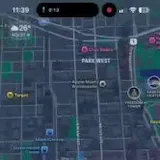
    • Apple Maps zooms through Miami's Wynwood and Brickell and jumps at 0:01
    • Apple Maps zooms through Miami's Wynwood and Brickell and jumps at 0:08
    • Apple Maps zooms through Miami's Wynwood and Brickell and jumps at 0:16
    • Apple Maps zooms through Miami's Wynwood and Brickell and jumps at 0:24
    READINESS
    90, easy to cut
    HOOK
    Visual, first 3 seconds
    SPEECH
    None
    ON-SCREEN TEXT
    8 lines
    CREATIVE
    Organic
    FIND TIME
    None
    FORMAT FIT
    FITS
    Apple Maps zooms through Miami's Wynwood and Brickell and jumps at 0:01Apple Maps zooms through Miami's Wynwood and Brickell and jumps at 0:01
  • An avatar customization menu opens beside an avatar standing on a dark in-app mapB-ROLL27sVERTICAL

    An avatar stands on a dark map that fills the screen, and a menu opens beside it with options for appearance and outfit. The list runs on to a pet, a car and a home, then ends with pose, friend requests and saved memories.

    WHY WATCH

    The full customization menu is laid out in one pass, and the dark map behind the avatar shows the app's world view instead of a profile screen.
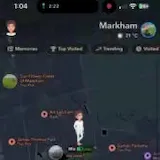
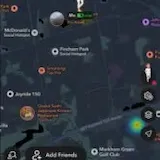
    • An avatar customization menu opens beside an avatar standing on a dark at 0:01
    • An avatar customization menu opens beside an avatar standing on a dark at 0:06
    • An avatar customization menu opens beside an avatar standing on a dark at 0:13
    • An avatar customization menu opens beside an avatar standing on a dark at 0:20
    READINESS
    90, easy to cut
    HOOK
    Visual, first 3 seconds
    SPEECH
    None
    ON-SCREEN TEXT
    8 lines
    CREATIVE
    Organic
    FIND TIME
    None
    FORMAT FIT
    FITS
    An avatar customization menu opens beside an avatar standing on a dark at 0:01An avatar customization menu opens beside an avatar standing on a dark at 0:01
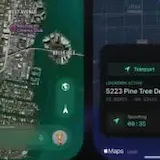
  • The Wiped app tracks a pin moving through Miami on a live mapB-ROLL20sVERTICAL

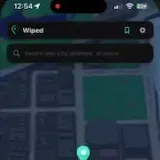
    The Wiped app opens a live location map and follows a pin as it travels through Miami streets. The screen offers tabs for Transport, Route, Stop, and Live, a search bar for a city, ZIP code, address or place, and an address starting with 1015 13th St in Miami.

    WHY WATCH

    The demo reveals a location app with Transport, Route, Stop and Live modes and tracks a live pin through Miami.
    • The Wiped app tracks a pin moving through Miami on a live map at 0:01
    • The Wiped app tracks a pin moving through Miami on a live map at 0:04
    • The Wiped app tracks a pin moving through Miami on a live map at 0:09
    • The Wiped app tracks a pin moving through Miami on a live map at 0:14
    READINESS
    90, easy to cut
    HOOK
    Visual, first 3 seconds
    SPEECH
    None
    ON-SCREEN TEXT
    8 lines
    CREATIVE
    Organic
    FIND TIME
    None
    FORMAT FIT
    FITS
    The Wiped app tracks a pin moving through Miami on a live map at 0:01The Wiped app tracks a pin moving through Miami on a live map at 0:01
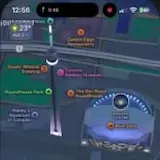
  • Apple Maps zooms out from a Toronto tower pin to reveal the waterfront landmarksB-ROLL24sVERTICAL

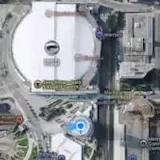
    Apple Maps pulls back from a pin on a tower and opens into a wider view of the city, revealing on-screen labels for HARBOURFRONT, the CN Tower Gift Shop and Steam Whistle Brewing. The view then shows Roundhouse Park, Ripley's Aquarium of Canada, the Metro Toronto Convention Centre, and finally Rogers Centre and the Blue Jays as the zoom continues.

    WHY WATCH

    The zoom-out pulls together Toronto's waterfront landmarks in one sweep, from the tower pin out to Rogers Centre.

    • Apple Maps zooms out from a Toronto tower pin to reveal the waterfront at 0:01
    • Apple Maps zooms out from a Toronto tower pin to reveal the waterfront at 0:06
    • Apple Maps zooms out from a Toronto tower pin to reveal the waterfront at 0:12
    • Apple Maps zooms out from a Toronto tower pin to reveal the waterfront at 0:18
    READINESS
    90, easy to cut
    HOOK
    Visual, first 3 seconds
    SPEECH
    None
    ON-SCREEN TEXT
    8 lines
    CREATIVE
    Organic
    FIND TIME
    None
    FORMAT FIT
    FITS
    Apple Maps zooms out from a Toronto tower pin to reveal the waterfront at 0:01Apple Maps zooms out from a Toronto tower pin to reveal the waterfront at 0:01
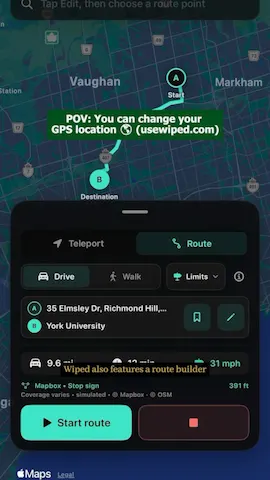
  • An Apple Maps route zooms along Yonge and Bathurst streets toward York UniversityB-ROLL21sVERTICAL

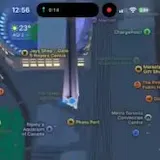
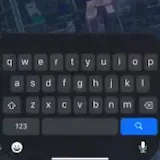
    Apple Maps shows a route toward York University and the map view zooms along it, passing Yonge St and Bathurst St. A Starbucks Coffee Company location appears on the map, and on-screen labels mark York University, Browse Eaton Centre, Wiped, Transport and Route.
    • An Apple Maps route zooms along Yonge and Bathurst streets toward York at 0:01
    • An Apple Maps route zooms along Yonge and Bathurst streets toward York at 0:05
    • An Apple Maps route zooms along Yonge and Bathurst streets toward York at 0:10
    • An Apple Maps route zooms along Yonge and Bathurst streets toward York at 0:16
    READINESS
    90, easy to cut
    HOOK
    Visual, first 3 seconds
    SPEECH
    None
    ON-SCREEN TEXT
    8 lines
    CREATIVE
    Organic
    FIND TIME
    None
    FORMAT FIT
    FITS
    An Apple Maps route zooms along Yonge and Bathurst streets toward York at 0:01An Apple Maps route zooms along Yonge and Bathurst streets toward York at 0:01

Top clips

  1. #1 Instagram 2.3K views

    By @tutooliar

  2. #2 TikTok 1.8K views

    By @wiped.world

  3. #3 TikTok 1.7K views

    By @wiped.world

  4. #4 TikTok 1.7K views

    By @wiped.world

  5. #5 TikTok 1.7K views

    By @wiped.world

  6. #6 TikTok 1.6K views

    By @clipgeniusone

Show all 9
  1. #7 TikTok 1.6K views

    By @wiped.world

  2. #8 TikTok 1.6K views

    By @wiped.world

  3. #9 TikTok 1.5K views

    By @wiped.world

What to make

POST ONFrom the brief: “Post ready-made Wiped clips or create your own UGC on TikTok and Instagram Reels, whichever you prefer, and earn based on verified views.”
  • TikTok
  • Instagram
BRIEF
Full briefOn Content Rewards
LENGTHOur analysis: The length of the ready clips
19 to 31s
FORMATOur analysis: The footage is already vertical
9:16

READY TO POST

8 of 8 clips analysed, 2 ready as is, 6 need an edit

Brand clips on
  1. A screen recording shows the Wiped app teleporting a device's location to Miami BeachBrand footage, 31 seconds, Vertical 9:16

    Ready to post as is

    Screen recording of Wiped app spoofing location to Miami Beach

    • CLIP POTENTIAL52
    • No spoken hook in the first 3 seconds
    • 8 lines of on-screen text
    • UGC promo, native creator style
    • No speech, add captions
    • Already vertical 9:16
    1. Post it as is or trim to the hook
    2. Add captions or on-screen text, the clip has no speech
  2. The Wiped app teleports an iPhone's location from Dubai to the CN Tower in TorontoBrand footage, 31 seconds, Vertical 9:16

    Ready to post as is

    Wiped app teleports iPhone location Dubai to Toronto

    • CLIP POTENTIAL52
    • No spoken hook in the first 3 seconds
    • 8 lines of on-screen text
    • UGC promo, native creator style
    • No speech, add captions
    • Already vertical 9:16
    1. Post it as is or trim to the hook
    2. Add captions or on-screen text, the clip has no speech
  3. The Wiped app teleports its map from a Miami street to Dubai International AirportBrand footage, 19 seconds, Vertical 9:16

    Needs your edit

    Screen recording of Wiped app teleporting location

    • CLIP POTENTIAL49
    • No spoken hook in the first 3 seconds
    • 8 lines of on-screen text
    • UGC promo, native creator style
    • No speech, add captions
    • Already vertical 9:16
    1. Post it as is or trim to the hook
    2. Add captions or on-screen text, the clip has no speech
  4. Apple Maps zooms through Miami's Wynwood and Brickell and jumps to Dubai's Burj KhalifaBrand footage, 32 seconds, Vertical 9:16

    Needs your edit

    Apple Maps zoom from Miami to Dubai

    • CLIP POTENTIAL28
    • No spoken hook in the first 3 seconds
    • 8 lines of on-screen text
    • No speech, add captions
    • Already vertical 9:16
    1. Trim it to its strongest seconds, no lead in
    2. Add captions or on-screen text, the clip has no speech
  5. An avatar customization menu opens beside an avatar standing on a dark in-app mapBrand footage, 27 seconds, Vertical 9:16

    Needs your edit

    Screen recording of avatar map app

    • CLIP POTENTIAL28
    • No spoken hook in the first 3 seconds
    • 8 lines of on-screen text
    • No speech, add captions
    • Already vertical 9:16
    1. Trim it to its strongest seconds, no lead in
    2. Add captions or on-screen text, the clip has no speech
  6. The Wiped app tracks a pin moving through Miami on a live mapBrand footage, 20 seconds, Vertical 9:16

    Needs your edit

    Screen recording of Wiped location tracking app

    • CLIP POTENTIAL28
    • No spoken hook in the first 3 seconds
    • 8 lines of on-screen text
    • No speech, add captions
    • Already vertical 9:16
    1. Trim it to its strongest seconds, no lead in
    2. Add captions or on-screen text, the clip has no speech
  7. Apple Maps zooms out from a Toronto tower pin to reveal the waterfront landmarksBrand footage, 24 seconds, Vertical 9:16

    Needs your edit

    Apple Maps zooms out over Toronto waterfront

    • CLIP POTENTIAL28
    • No spoken hook in the first 3 seconds
    • 8 lines of on-screen text
    • No speech, add captions
    • Already vertical 9:16
    1. Trim it to its strongest seconds, no lead in
    2. Add captions or on-screen text, the clip has no speech
  8. An Apple Maps route zooms along Yonge and Bathurst streets toward York UniversityBrand footage, 21 seconds, Vertical 9:16

    Needs your edit

    Apple Maps route to York University

    • CLIP POTENTIAL28
    • No spoken hook in the first 3 seconds
    • 8 lines of on-screen text
    • No speech, add captions
    • Already vertical 9:16
    1. Trim it to its strongest seconds, no lead in
    2. Add captions or on-screen text, the clip has no speech

HOOK IDEAS SUGGESTIONS

  1. Your iPhone says Miami. You are not in Miami.From the on-screen text “Miami” in B-roll, 0:32, vertical
  2. One tap and your iPhone says Burj Khalifa, DubaiFrom the on-screen text “Burj Khalifa - Dubai, United Arab Emirates” in B-roll, 0:32, vertical
  3. Dubai in one tap, no flight neededFrom the on-screen text “Burj Al Arab - Jumeirah Street - Dubai” in B-roll, 0:32, vertical

AVOID

  • No reposts of other clips“No reposted content”

GET THE FOOTAGE

  • The brand provides the clips in a Google Drive folder linked on Content Rewards

Next round, rate rises, top-upsGet alerts

Ask your AI agent

How to join the Wiped clipping campaign

Join on Content Rewards and post on TikTok, Instagram or YouTube. On Content Rewards, per view pay comes in rounds about every 10 days, until 30 days after the clip is submitted.

Common questions

How much budget is left in the Wiped clipping campaign?

$405 of a $1,500 budget is left at 23:11 UTC on 19 Nov 2026.

Which apps count for the Wiped clipping campaign?

Views on 3 apps count: TikTok, Instagram and YouTube.

What does it take to get paid?

A clip is paid once it has earned at least $2.

Similar campaigns